FROM FIRST IDEA TO FINAL IMAGE

Scout. Shoot. Make it yours.

Your entire creative process. One app for iPhone.

01 / BEFORE THE SHOOT

Find your spot.
Follow the light.

Discover locations, save the ones you love, and plan the light before you head out.

Scout locations · Save spots · Plan light
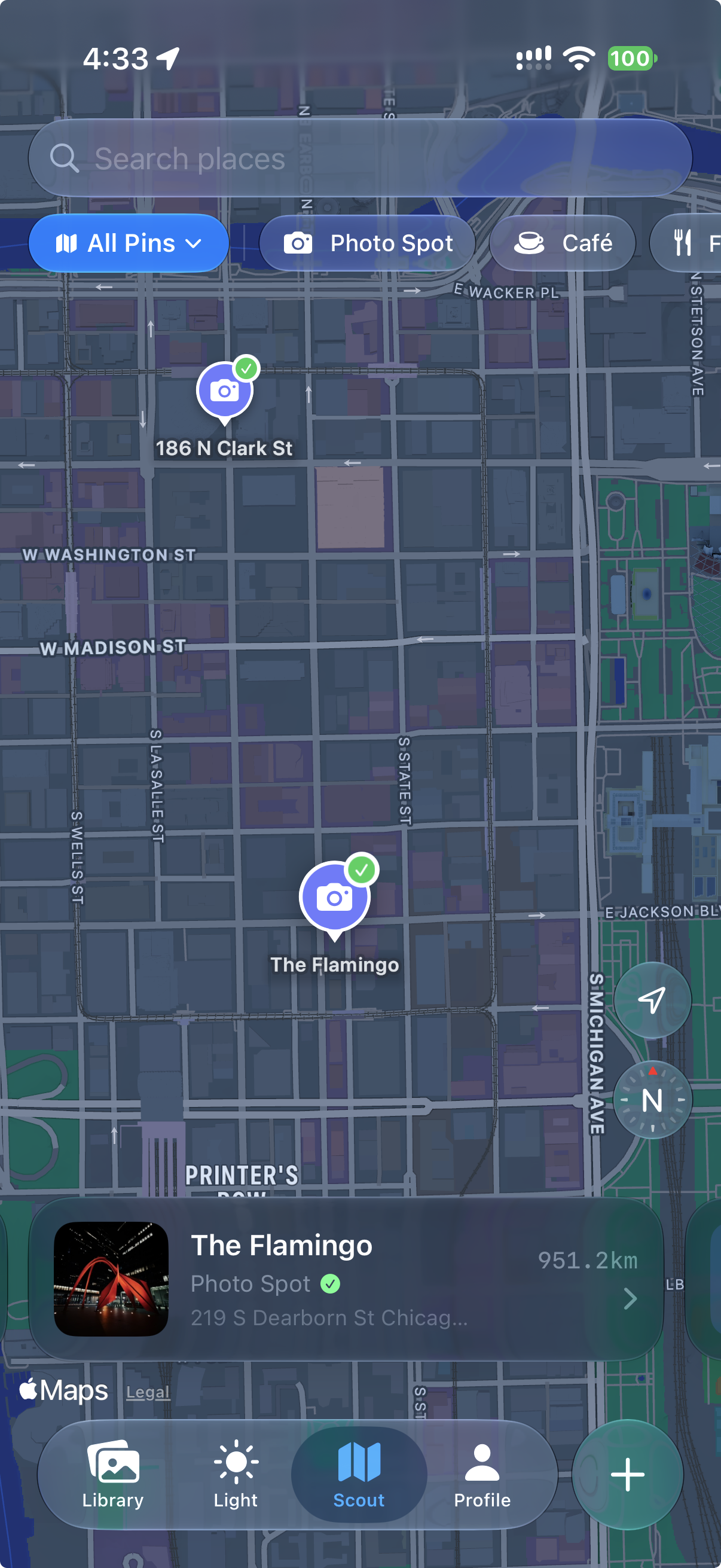
Remjet Scout map showing saved photography locations in Chicago

Location scouting

Find a place worth making a picture.

Light planning

See where the sun will be. Choose your moment.
02 / IN THE MOMENT

Your eye.
Your settings.

Capture photos and video with a look you love and professional controls close at hand.

Manual exposure · Focus peaking · Live looks

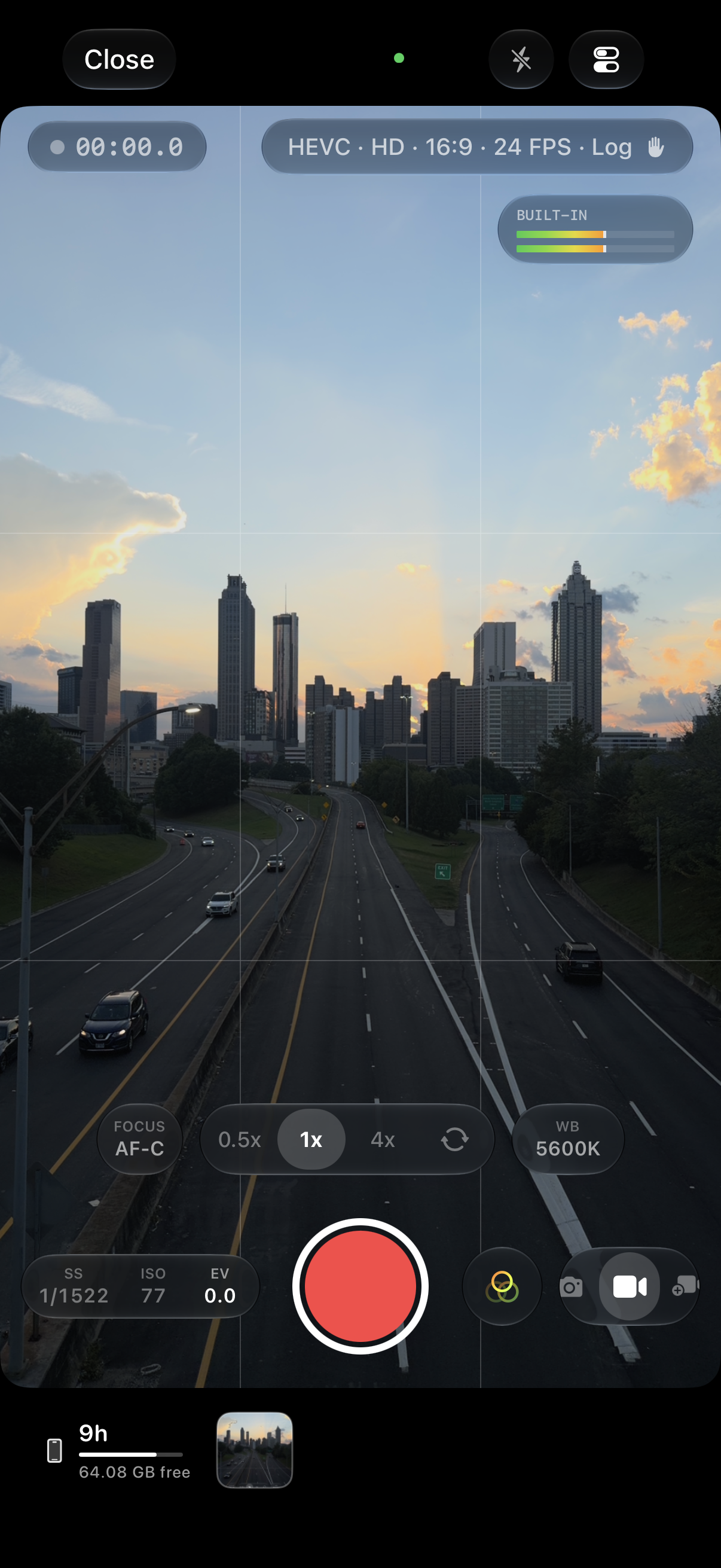
Remjet video camera with exposure, focus, and white balance controls

Creative control

Dial in exposure, focus, and white balance.

Your look, on set

Preview your look as you shoot. Keep a clean original.

03 / AFTER THE SHOOT

Make it feel
like you.

Shape the color. Add a film finish. Bring your photos and videos together into a story.

Color grading · Film effects · Timelines

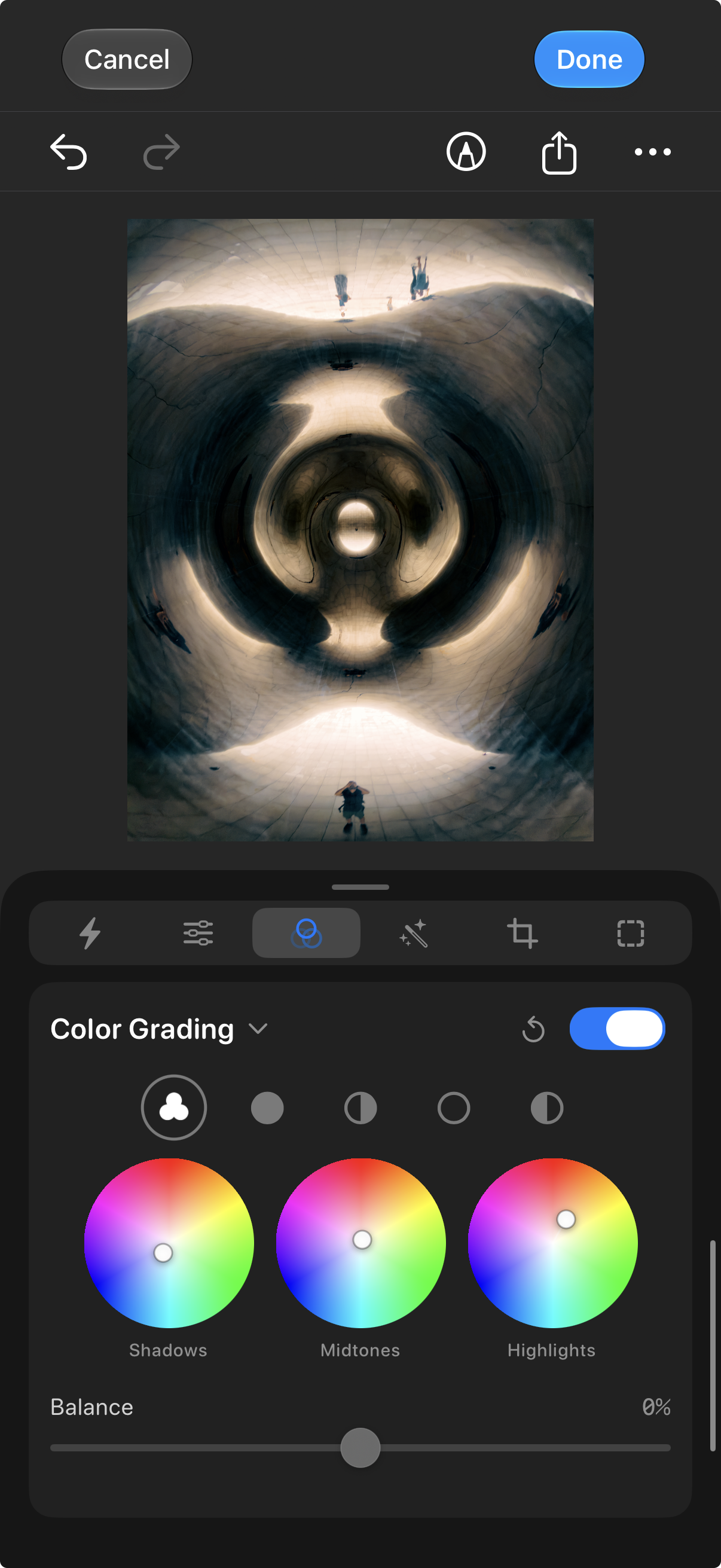
Remjet photo editor with shadows, midtones, and highlights color wheels

Color with intention

Refine your grade with color wheels, curves, and HSL.

The finishing touches

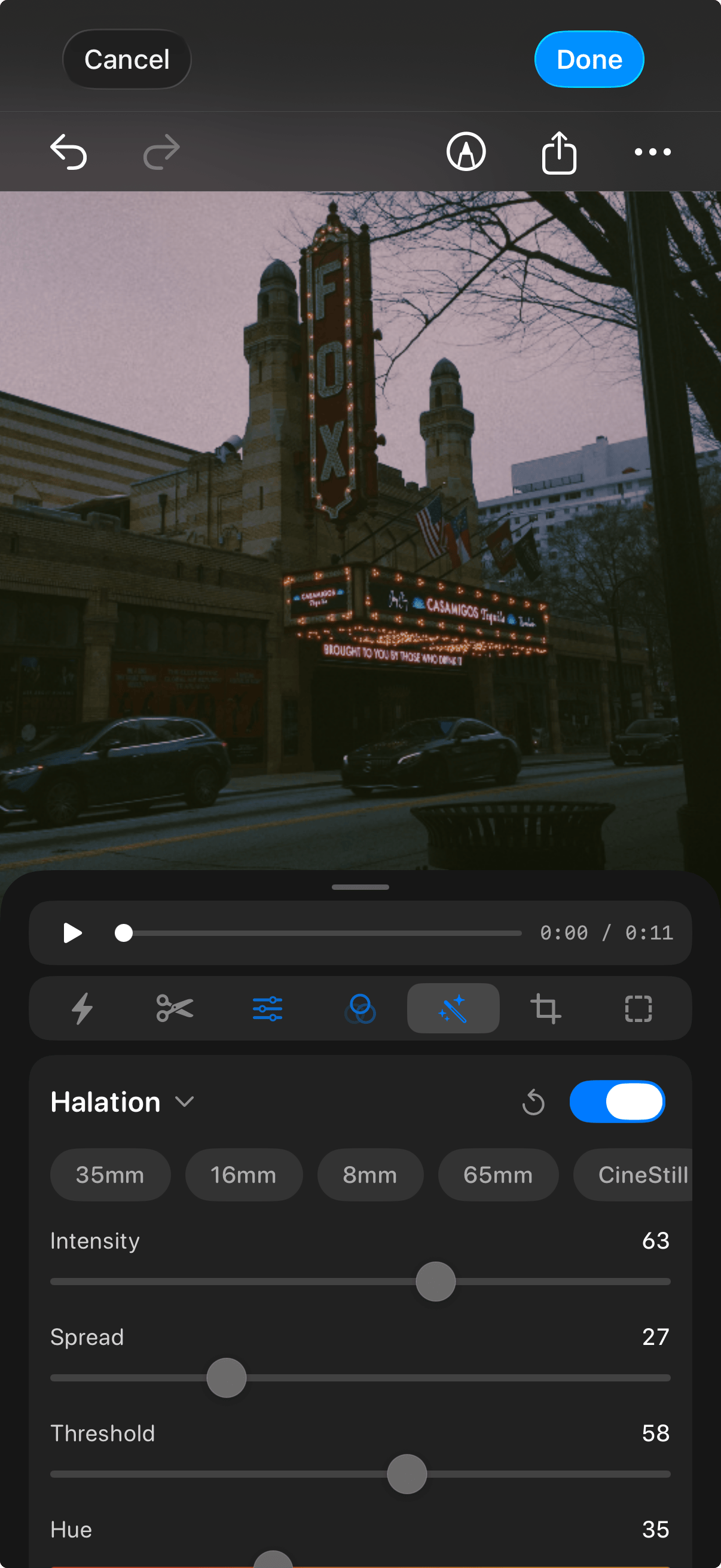
Film looks, halation, bloom, and grain. Make it yours.

Scroll through your next shoot

Color tools for your camera roll and supported log footage

Your vision.
Down to the color.

Professional color stays at the heart of Remjet. Shape photos and videos with film LUTs, log-to-Rec709 conversion, color wheels, curves, and film effects — with non-destructive editing that lets you keep exploring.

Photo & Video Editing

Grade straight from
your camera roll.

Open photos and videos from your library, shape the color, and revisit your edits without changing the original.

Remjet photo editor showing shadows, midtones, and highlights color wheels
Log-to-Rec709

From flat log
to Rec.709.

Start your grade with log-to-Rec709 conversion for supported camera profiles.

S-Log3 C-Log3 LogC4 Apple Log V-Log N-Log
Professional Color Tools

Color wheels.
Curves. Your call.

Shape shadows, midtones, and highlights. Refine your image with curves and HSL selective color.

Film Looks & Effects

Give your image
a film finish.

Build a look with film LUTs, halation, bloom, and grain. Keep it subtle or make the texture part of the story.

Halation Bloom Film Grain Vignette Chromatic Aberration
Remjet halation effects
RAW Support
Video Editing
Histogram & Waveform
Export Anywhere
Crop & Straighten
Non-Destructive

Bring your Lightroom look to Remjet.

Keep the color you’ve made your own. Turn your Lightroom preset’s color treatment into a LUT, ready to use on photos and videos in Remjet.

Give Remjet a try

A great shot starts
before the shutter.

Find somewhere worth shooting, see when the light will land, and capture the moment with your look already in view.

01 / Scout

Find your spot.

Save private pins, organize locations into lists, and discover approved public pins from the Scout community.

Scout map of Chicago with The Flamingo photo spot selected
02 / Light

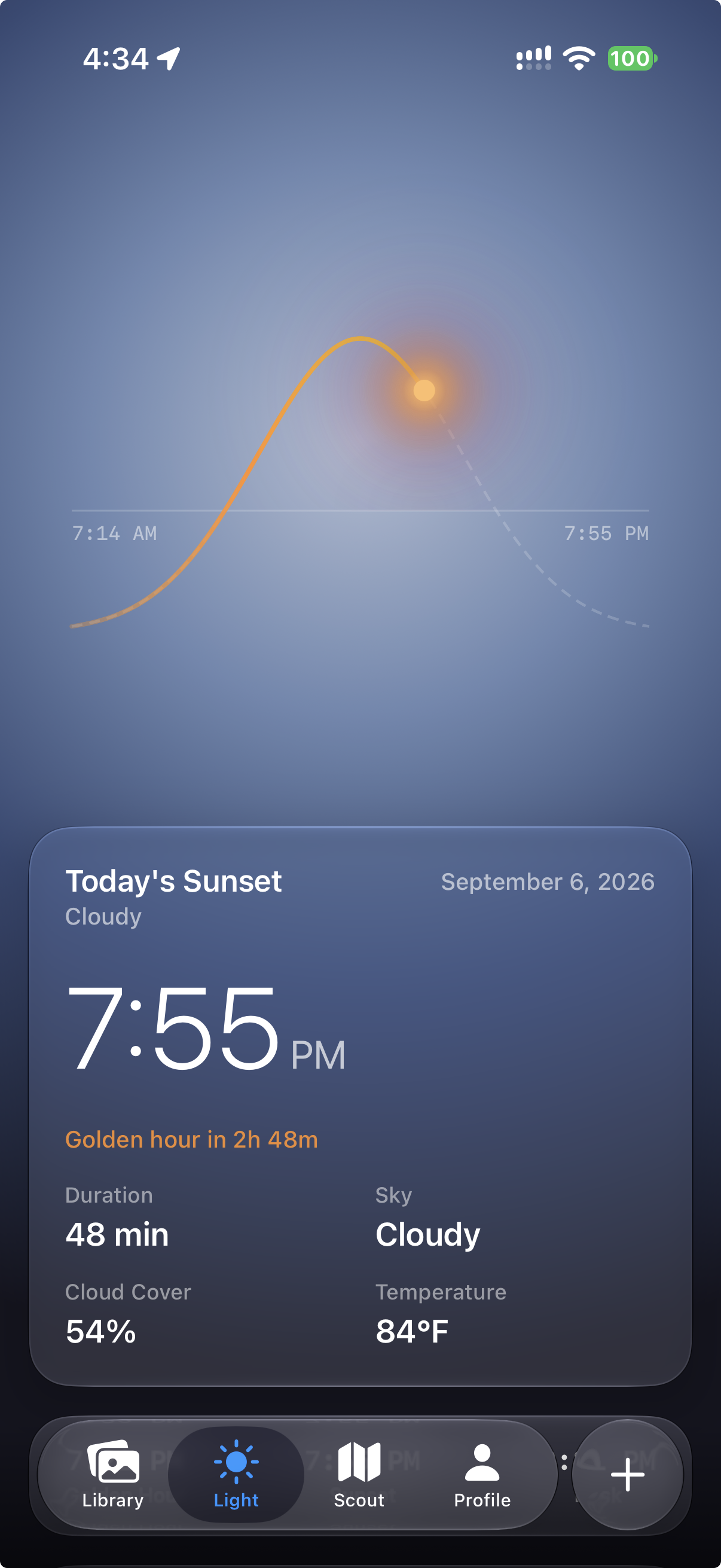
Follow the light.

Plan for sunrise, sunset, golden hour, and blue hour. See the sun’s direction and check weather where available.

Light sun path with sunset time and golden-hour information
03 / Camera

Shoot with a look.

Frame your shot in Remjet’s camera and capture with looks. Then take your photos and videos into the edit. Explore the camera →

Remjet video camera with a look enabled, framing the Atlanta skyline
The Remjet camera

A camera for
the whole story.

One frame. A quick take. A trip that unfolds over a week. Capture with a look you love and the controls to make it your own — then carry the story into the edit.

Explore the three modes
Shoot with intention. Keep your options.

Remjet keeps clean originals and saves supported look adjustments separately, so you can revisit the grade after capture. Exposure, focus, and the format you record still shape the original.

Remjet video camera framing the Atlanta skyline with a look enabled, exposure settings, focus, and white-balance controls

The camera, in Video mode.

01

Photo

Capture a single moment with your chosen look. Bring it into the photo editor to refine supported adjustments while keeping the original.

02

Video

Record a standalone clip, then shape its color and finish in Remjet. A clean recording gives you a starting point you can return to.

03

Video Project

Build the story one take at a time. Pause between clips, close the camera, and return to a saved draft when the next moment happens.

Keep the project going

A day out.
A week away.
One evolving story.

Start with the journey. Add the coffee stop, the view, the last walk home. Reopen your camera draft and keep recording into the same project across a vlog, a day, or a trip.

When you’re ready, save to Photos as an editable timeline project, or save the takes as individual videos. Keep shaping the sequence, color, and pacing in Remjet’s editor.

From camera to timeline
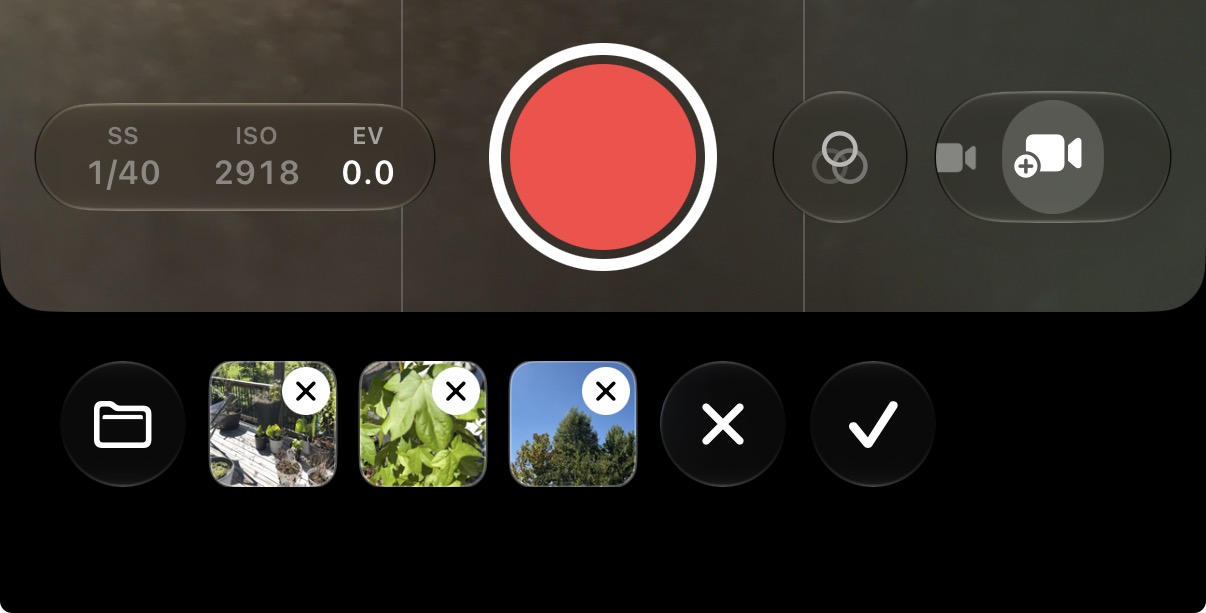
Video Project capture controls with three recorded takes and controls to discard or finish the project
Each take becomes part of the same project.
Professional control, in reach

Get the shot.
With fewer compromises.

EXPOSURE, ON YOUR TERMS

Choose what
stays fixed.

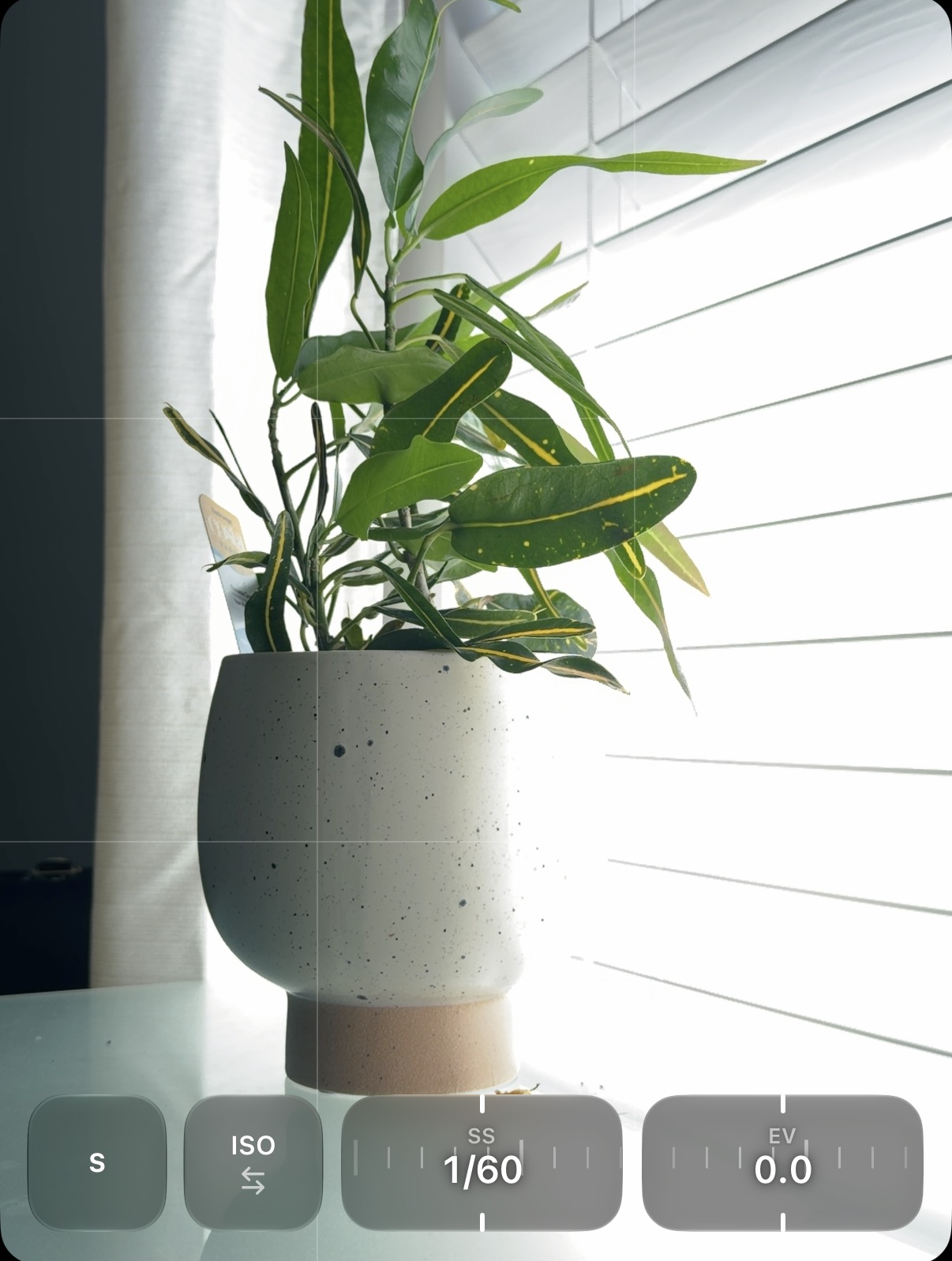
Hold your shutter speed. Lock your ISO. Or take both into your own hands with manual exposure.

Remjet’s camera framing a sunlit plant, with intact shutter-priority controls showing automatic ISO, shutter speed 1/60, and exposure compensation 0.0
Shutter priority · ISO priority · Manual
CONFIDENCE IN EVERY DETAIL

See exactly where
focus lands.

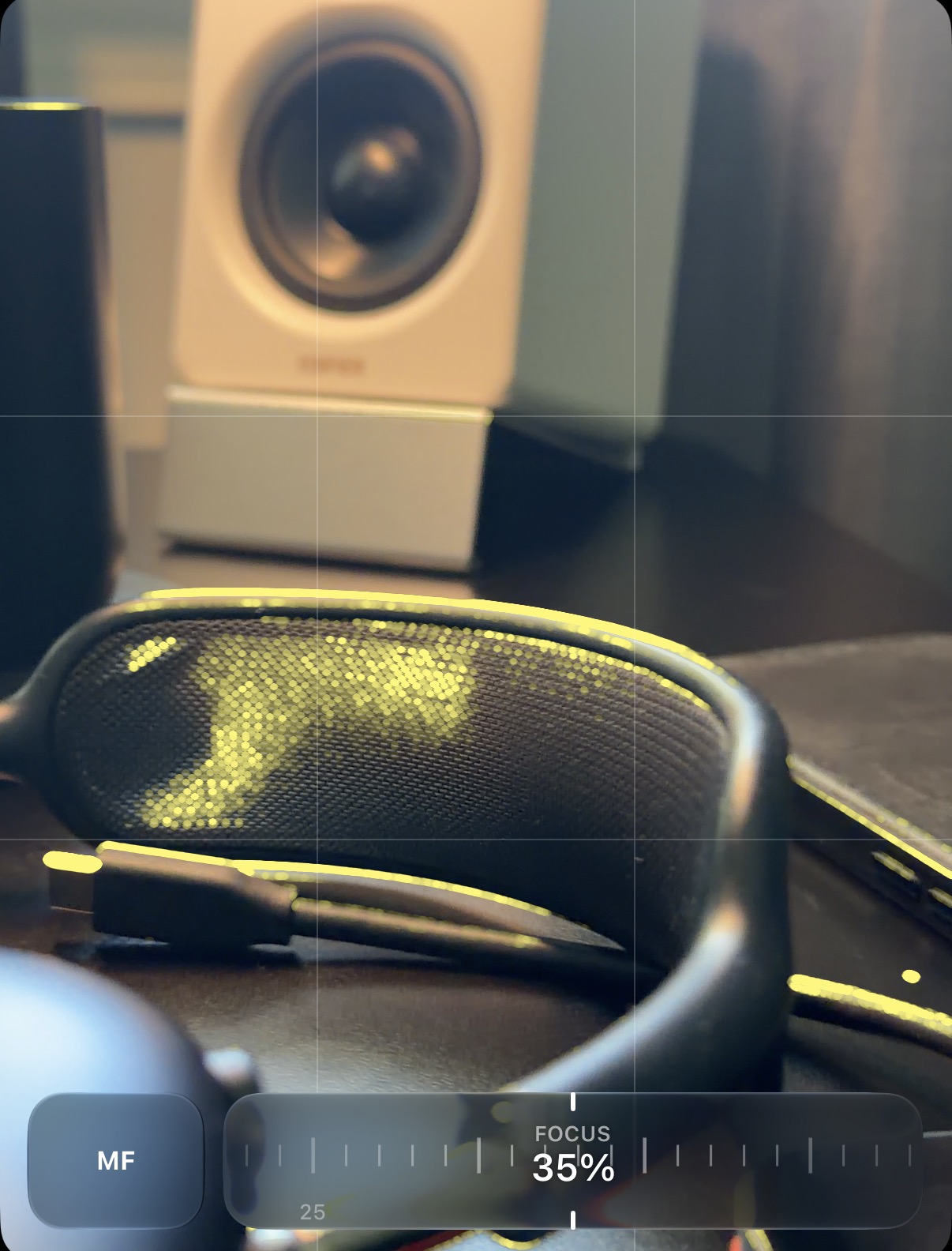
Let focus peaking reveal the sharp edges. Use zebras to spot bright areas before you hit record.

Yellow focus peaking tracing the edges of headphones, with the complete manual-focus control set to 35 percent
Zebras · Manual-focus peaking
MORE ROOM TO CREATE

Capture more.
Decide the frame later.

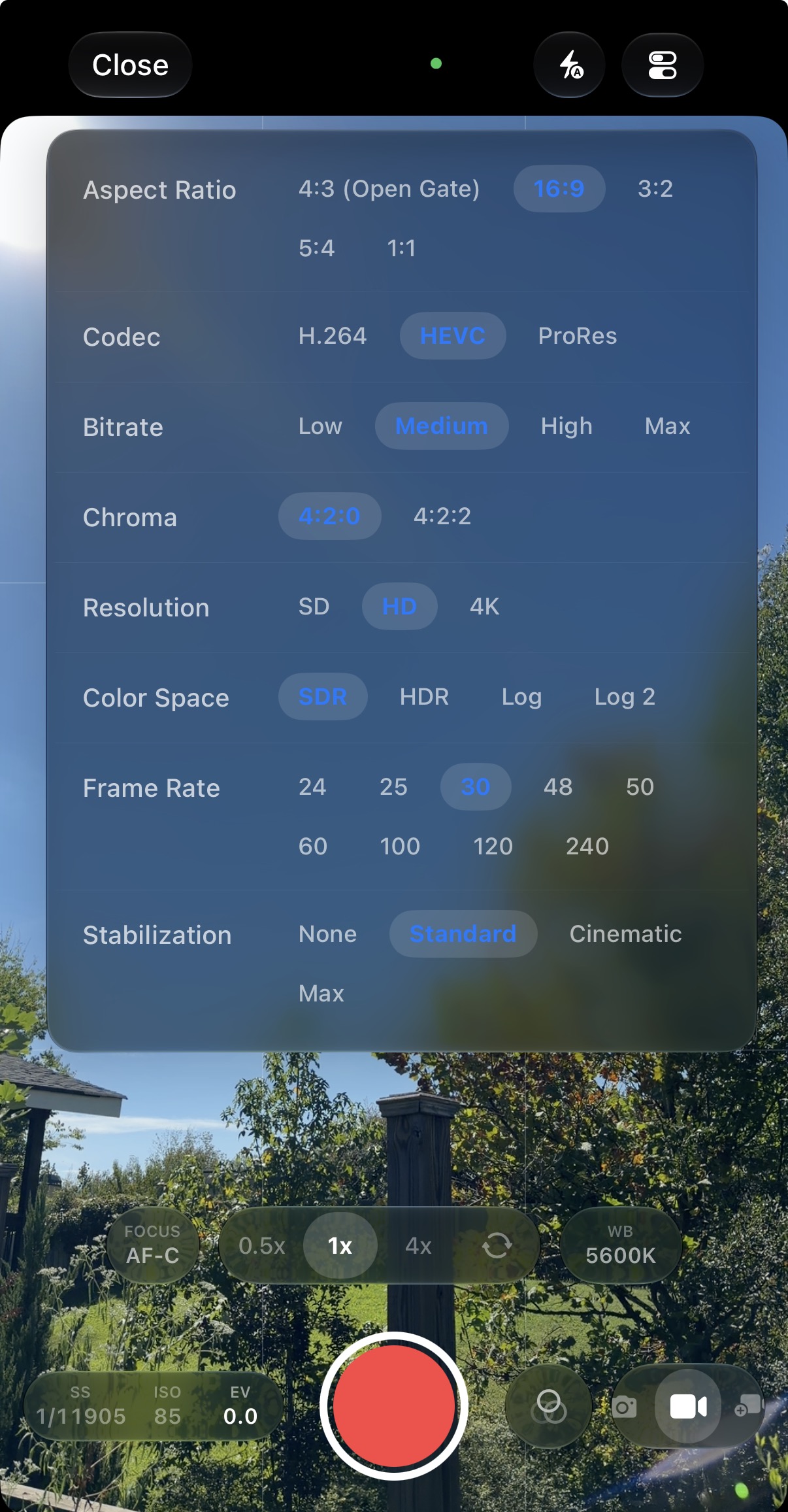
Open-gate video uses the available sensor shape, leaving more room to reframe for wherever your story goes.

Available on supported rear and front cameras. Aspect ratio, resolution, and frame rate depend on your camera and format.

Remjet’s recording settings: 4:3 Open Gate is available alongside 16:9, currently selected, with codec, resolution, color space, frame rate, and stabilization options
Your frame. Your format. Your call.
SPACE FOR THE WHOLE SHOOT

Give a longer shoot
more space.

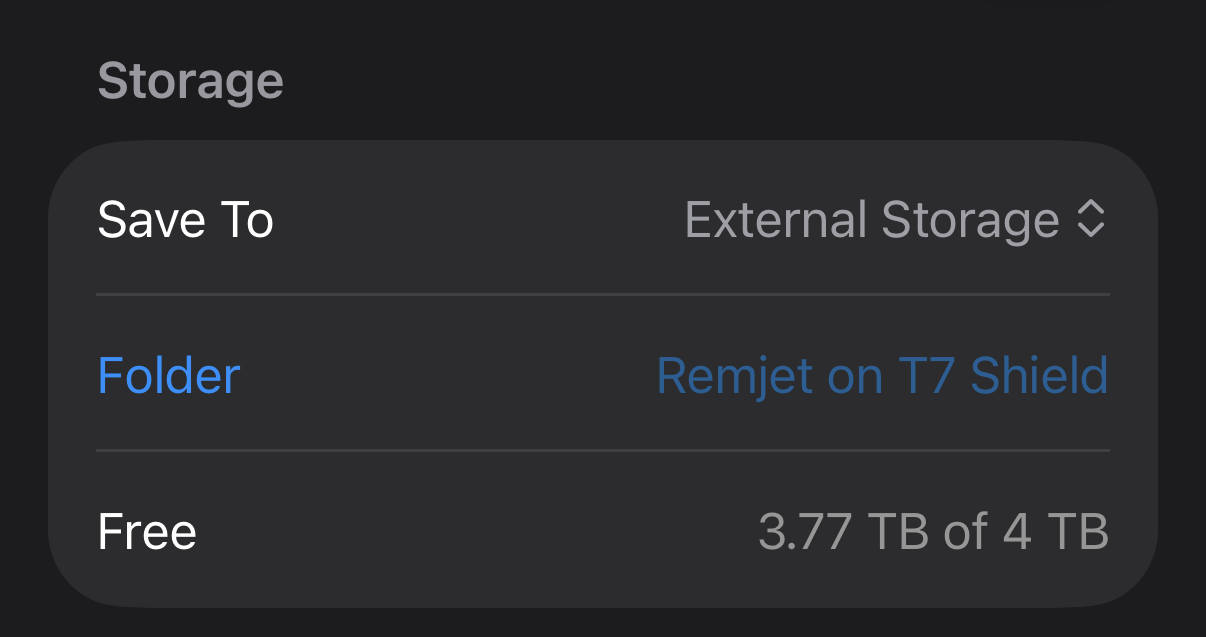
Choose a connected, writable external drive for photo and video capture. Video Project takes can use external storage too, with the drive connected and its files available when you return.

Remjet Storage settings with Save To set to External Storage, the folder Remjet on T7 Shield, and 3.77 TB free of 4 TB
External capture · Storage checks

On external storage, video saves as a clean file with separate Remjet look settings when a look is applied. Finishing a project there saves a merged video or individual takes; the editable timeline-project option saves to Photos. Capture options depend on your device, lens, format, and storage.

Make something
from the whole shoot.

Turn individual moments into a finished piece. Build a multi-clip video, make a slideshow, or compose a photo collage.

Timeline Editor

A real timeline.
On your phone.

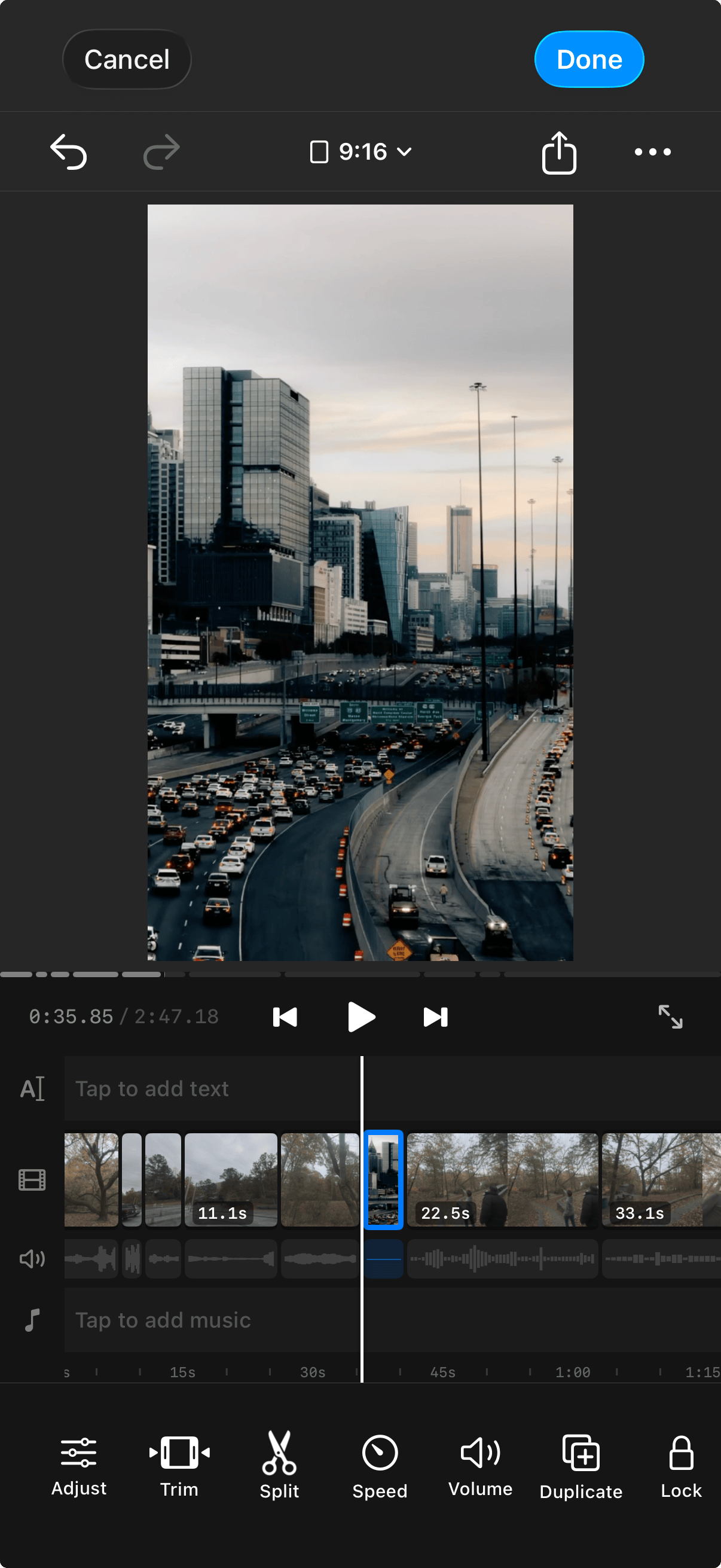
Arrange clips, trim, reorder. A proper timeline you can actually use on your phone.

Multi-clip video timeline with clip thumbnails, audio waveforms, and editing controls
Slideshow Shortcut

Select. Set duration. Done.

Pick a batch of photos or clips, choose a duration per slide — 1 second, 2 seconds, whatever — and Remjet builds the project for you. Perfect for fast-paced reels and TikToks.

Photo Collages

One frame.
More of the story.

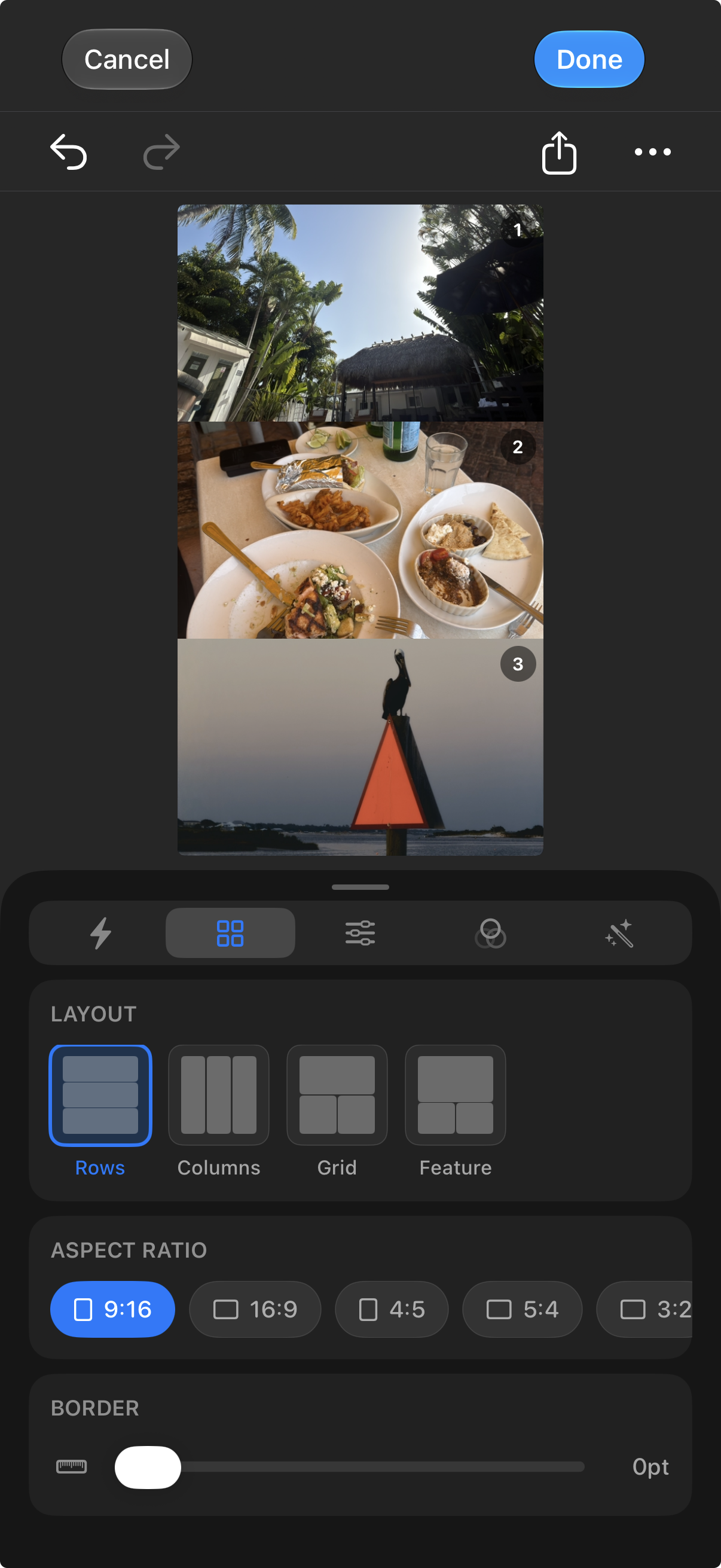
Bring your photos together in a collage. Give the details, places, and moments from a shoot a shared home.

Three-photo collage with row layout and aspect-ratio controls

A workflow you can
make your own.

From the places you save to the edits you return to.

Room to experiment. Non-destructive photo and video editing lets you revisit your choices and return to the original.

Your places, organized. Keep private Scout pins and lists, explore approved community spots, and make your profile your own.

Hi, I'm Tom 👋

I built Remjet because I care about how my content looks — but I don't want to use four different apps to get there. Log conversion in one app, color grading in another, film effects in a third, and then a timeline editor to put it all together. It was too much.

Remjet now connects more of that process: finding a place, planning the light, capturing a moment, and shaping the final edit. Professional color tools are still at its heart.

Hopefully when you use it, it helps you as much as it's helped me.

Thomas
Thomas Garcia Founder, StudioTHM · Remjet developer

Find your next shot.
Make it yours.

Scout, capture, edit, and create with Remjet.

Download for iOS